Conditional Rules
Conditional rules let you control behavior based on visitor characteristics. They power target eligibility filtering, ad platform routing, and webhook triggers throughout ClickerVolt.
How Rules Work
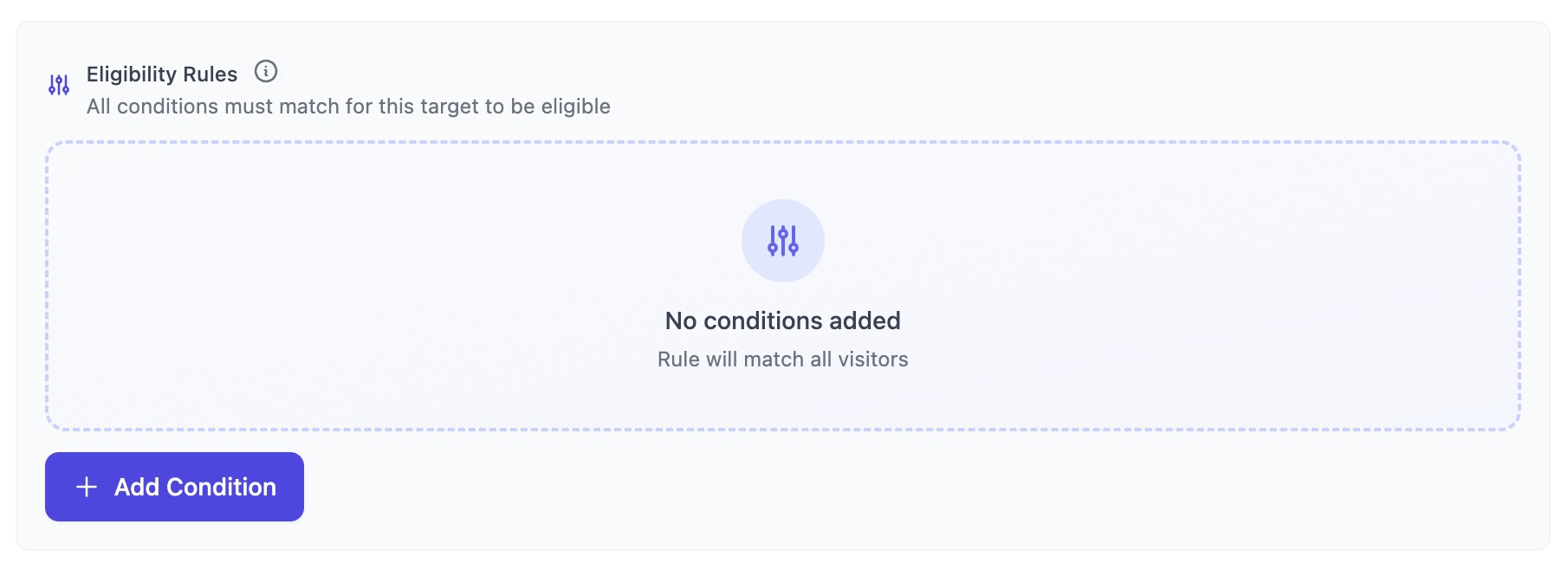
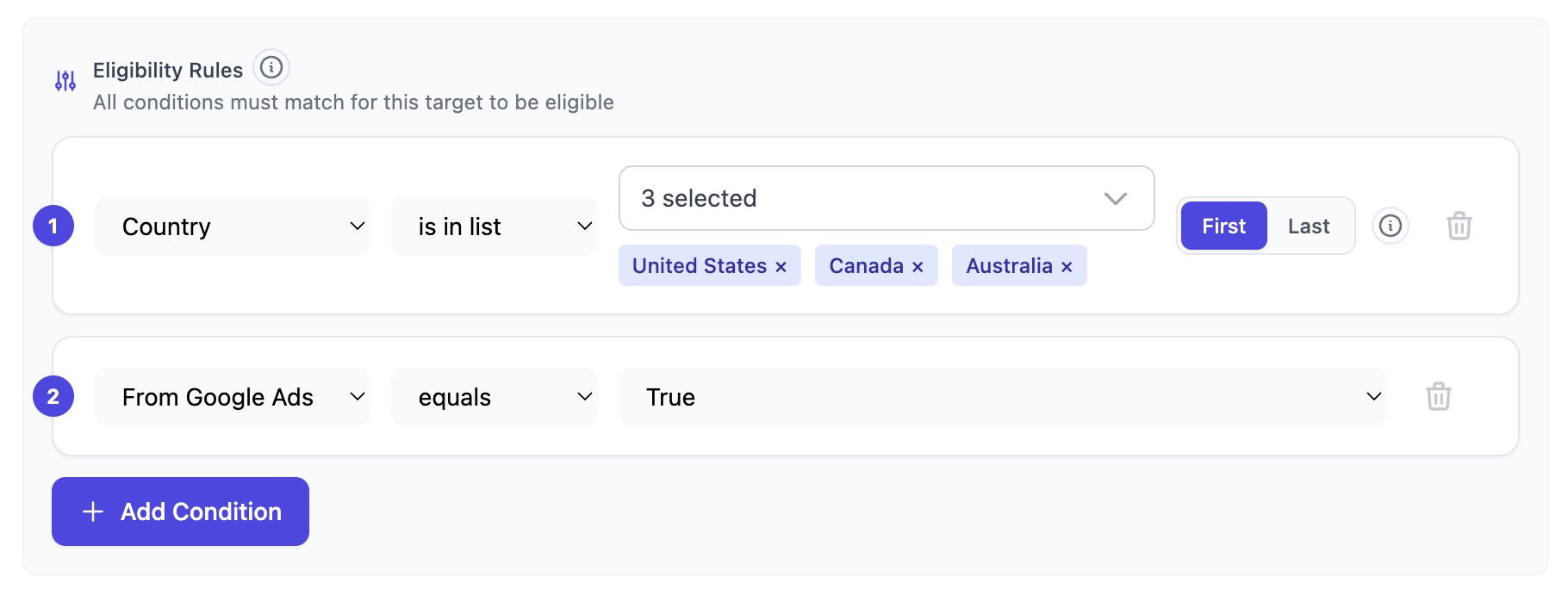
Each rule consists of one or more conditions. All conditions must match (AND logic) for the rule to apply.
- Condition: A single check (e.g., "country equals US")
- Rule: A group of conditions that must all be true
- No conditions = always matches (no filtering)
Available Fields
Rules can evaluate many visitor attributes:
Traffic Source
- utm_source, utm_medium, utm_campaign, utm_term, utm_content - Standard UTM parameters
- isFromGoogleAds, isFromFacebookAds, isFromTikTokAds - Platform detection flags
- referrer - The referring domain or URL
Custom URL Parameters
- custom_query_arg - Match any other query parameter on the tracking URL by name (e.g.
?order_id=…,?plan=…). When you select this field, an extra "query arg name" input appears next to the field selector — that's the parameter name to look up. The condition's value is what that parameter must equal/contain/etc.
For safety, the following are not available as custom query args because they're either already first-class or filtered for privacy: v1–v5 and their utm_* aliases, platform click IDs (gclid, fbclid, ttclid, gbraid, wbraid), internal ClickerVolt params (cvid, cid, cvadid, cost, fbp, cv_event), PII keys (email, phone, first_name, last_name, dob, gender and aliases), and sensitive keys (credit card, CVV, SSN, password, token, api_key, bearer, session, etc.). Up to 16 custom keys per click are retained.
Geographic & Device
- country - Two-letter country code (e.g., US, GB, DE)
- deviceType - desktop, mobile, or tablet
Quality & Fraud
- qualityScore - Visitor quality score (0-100)
- isProxy, isHosting - VPN/proxy and datacenter detection
- isBot - Bot traffic detection
Behavior
- isIdentified - Whether visitor provided email/phone
- totalRevenue - Lifetime revenue from this visitor
- conversionCount - Number of conversions
- eventCount - Number of custom events
Operators
Different field types support different operators:
- Text: equals, not_equals, contains, starts_with, ends_with, in, not_in
- Numbers: equals, not_equals, greater_than, less_than, greater_or_equal, less_or_equal
- Boolean: equals (true/false)
Attribution Model
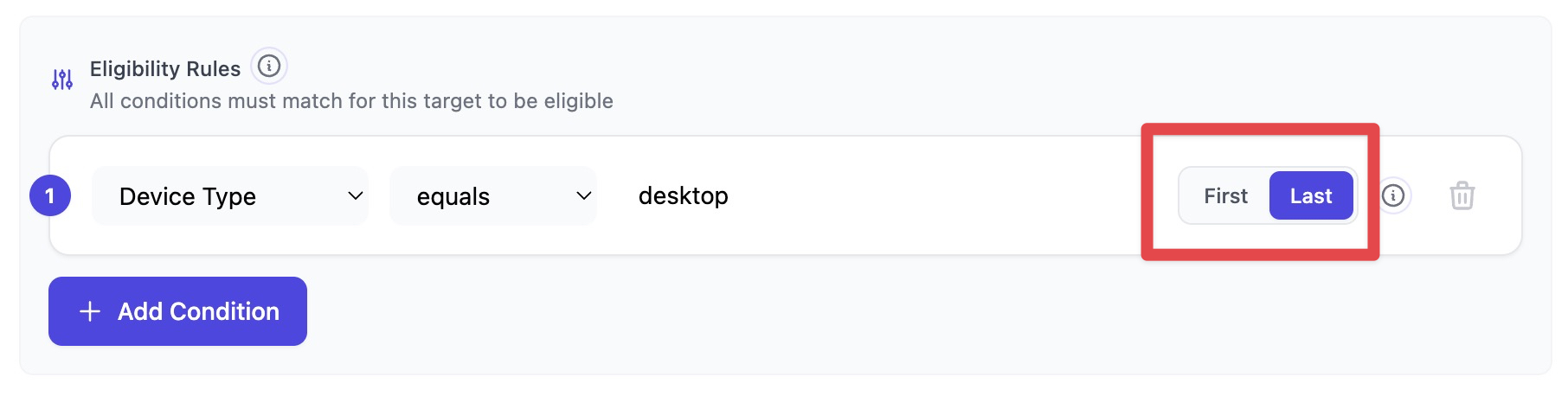
For UTM parameters, custom URL parameters, and geographic fields, you can choose which click data to evaluate: the visitor's first click or their most recent (last) click.
First Click vs. Last Click
- 1st (First Click): Uses data from the visitor's original touchpoint
- Last (Last Click): Uses data from their most recent interaction
This is powerful for multi-touch funnels. For example, you can target "visitors who originally came from Facebook" even if they later clicked a Google ad. The same applies to custom URL parameters — match on the order_id from the very first click that started the journey, or on the most recent one.
The 1st/Last toggle appears next to utm_source, utm_medium, utm_campaign, utm_term, utm_content, custom_query_arg, country, deviceType, and referrer fields when adding conditions.
Target Eligibility Rules
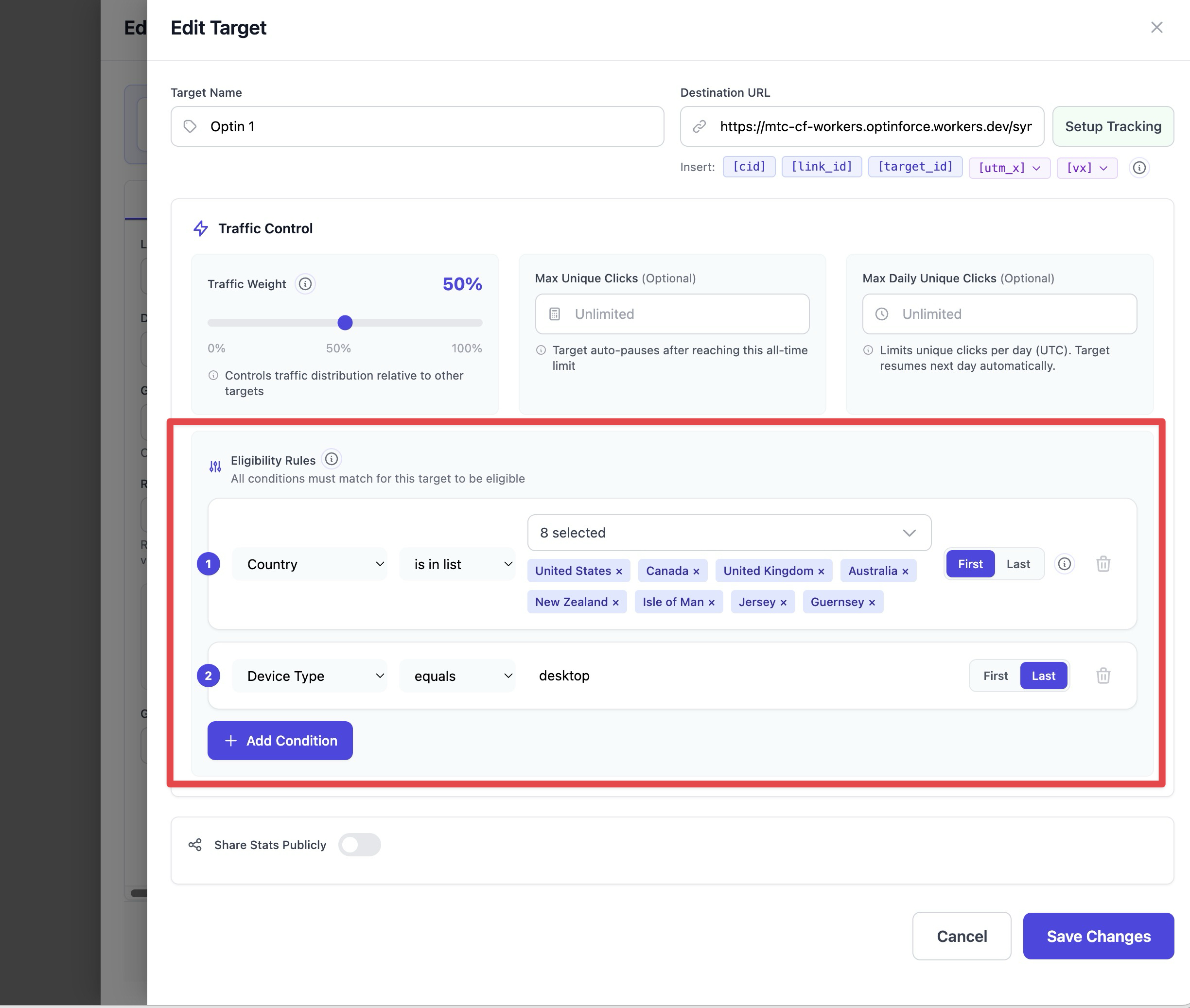
When editing a target, you can add eligibility rules in the Traffic Control section. These rules determine which visitors can see this specific target.
- Show a high-value offer only to US visitors
- Hide a target from proxy/VPN users
- Target mobile users with a mobile-optimized landing page
- Route identified visitors to a personalized experience
- Route specific
order_idvalues (passed via?order_id=…) to a dedicated thank-you target
If a visitor doesn't match the eligibility rules, they'll be routed to a different target (or fallback) instead.
Ad Platform Routing
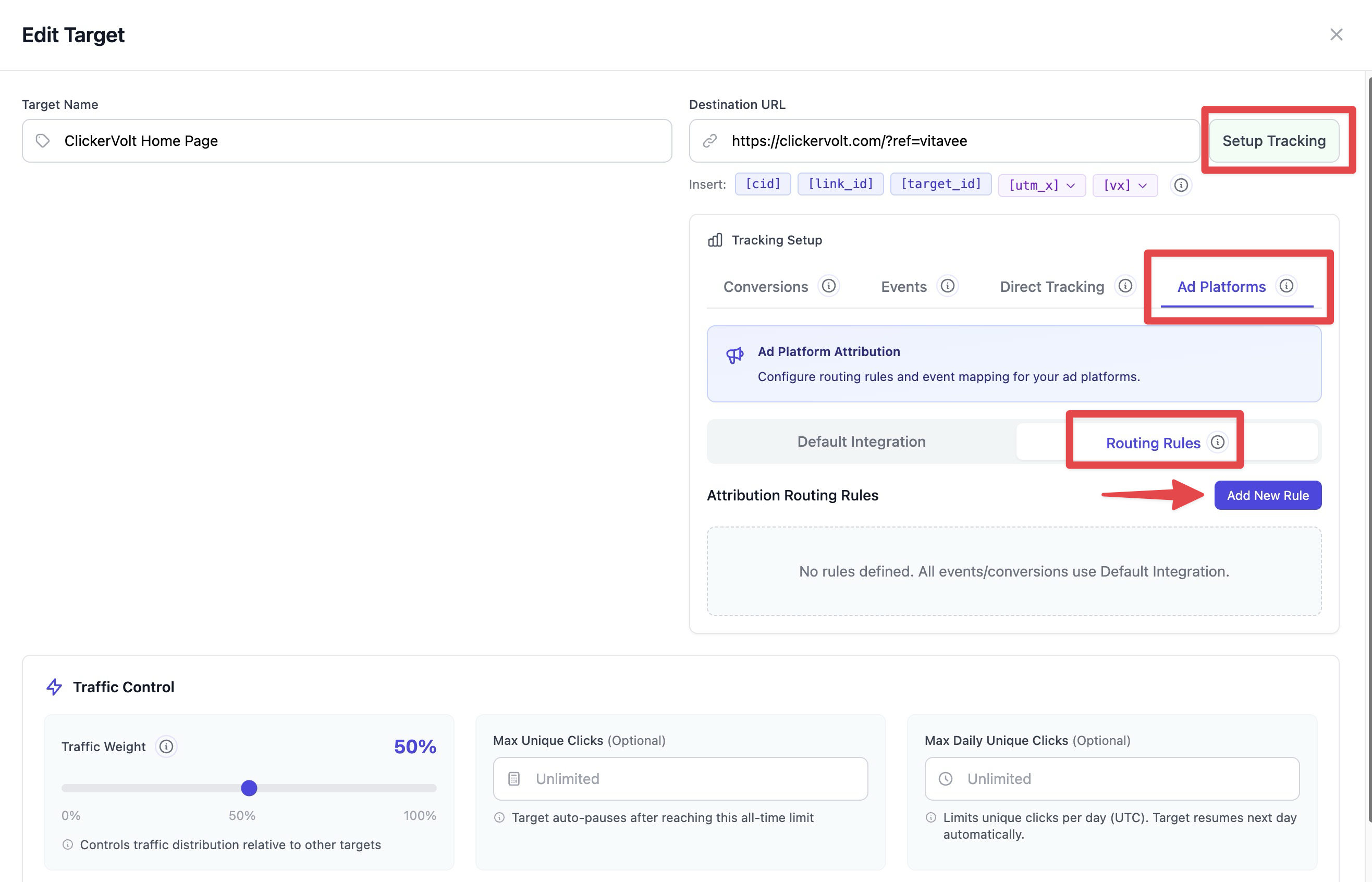
In the Ad Platform Setup, routing rules let you send conversions to different ad accounts based on visitor context.
- Route Agency A traffic to Agency A's Google Ads account
- Send US conversions to your main account, international to a sub-account
- Use different Facebook Pixels for different product lines
Rules are evaluated in priority order. The first matching rule determines which account receives the conversion. If no rules match, the default integration is used.
Webhook Conditional Triggers
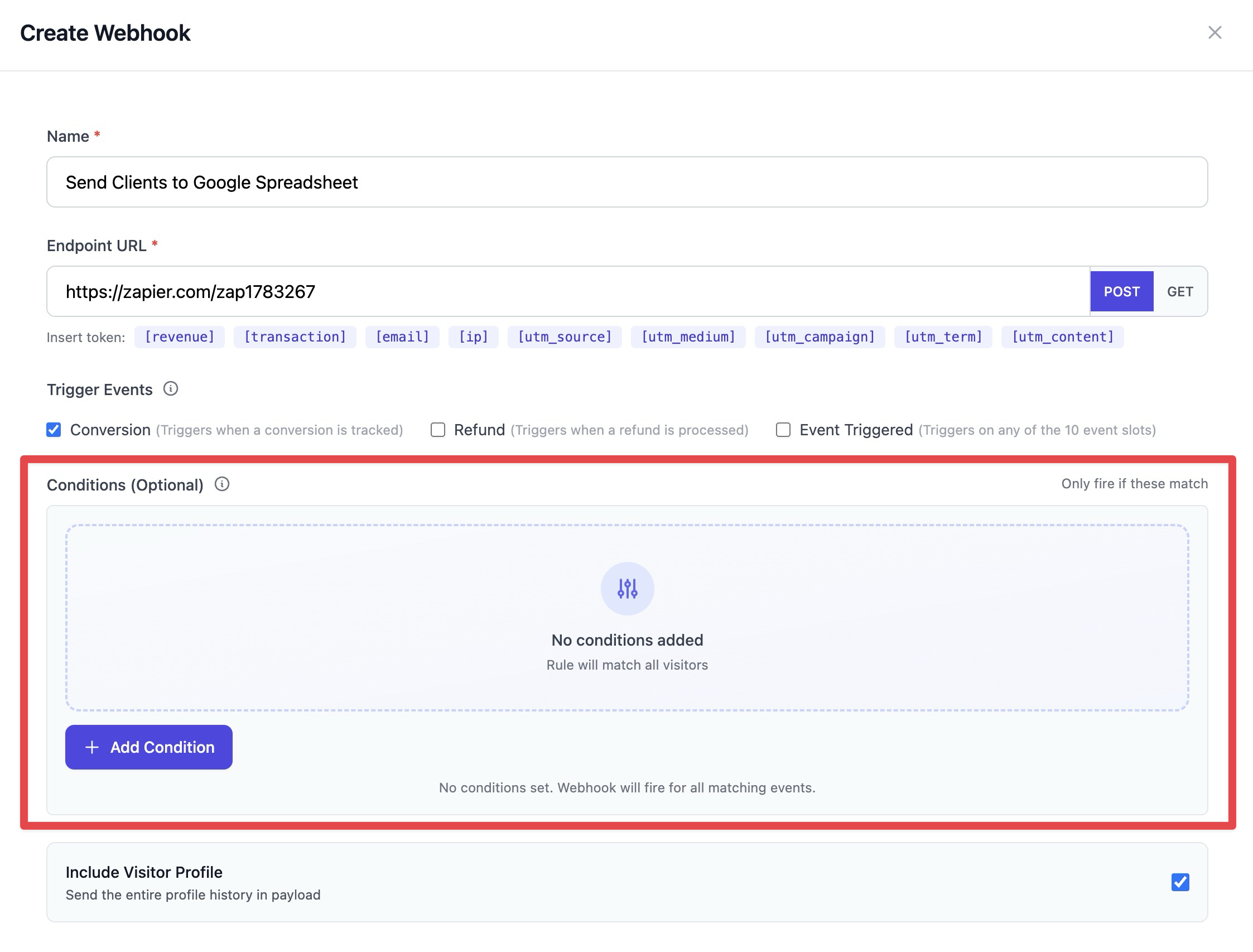
In the Webhooks settings, you can add conditions to control when a webhook fires. This lets you send data to external systems only for specific traffic segments.
- Fire a webhook only for US conversions over $50
- Notify a Slack channel only when identified visitors convert
- Send data to a CRM only for leads from specific campaigns
If no conditions are set, the webhook fires for all matching events.
Best Practices
- Start simple - add one condition at a time and test
- Use the attribution model toggle for funnel scenarios
- Test before going live
- Check fallback stats to ensure rules aren't too restrictive